YOLO annotation format explained: YOLO vs COCO vs Pascal VOC for beginners
A beginner-friendly guide to YOLO label format, why people talk about multiple YOLO variants, and how YOLO compares with COCO JSON and Pascal VOC XML.
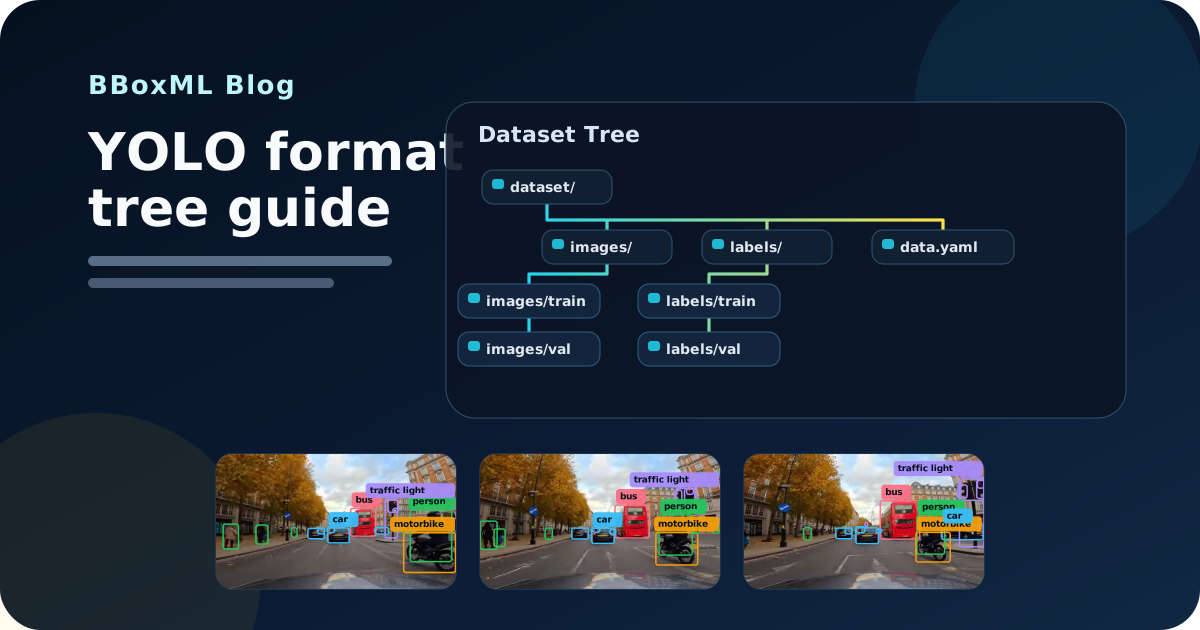
If you are starting your first object detection project, one of the first confusing questions is usually this: what is the difference between the YOLO annotation format, COCO JSON, and Pascal VOC XML?
That confusion is normal. People often say "export it in YOLO" as if there is one single YOLO format, but then you also hear about YOLOv5, YOLOv8, YOLOv11, YOLOv12, COCO, Pascal VOC, and Google Colab training workflows. For a beginner, that sounds more complicated than it needs to be.
The practical answer is simple: these are mostly different object detection annotation formats and dataset packaging styles, not different definitions of what an object is. Your job is to pick the format that matches the training or tooling workflow you plan to use next.
Short answer
If you want the fastest answer before we unpack the details:
- choose YOLO if your next step is a YOLO-style workflow or the BBoxML Google Colab notebook
- choose COCO if another tool explicitly asks for COCO JSON
- choose Pascal VOC if you already know you need an XML-based or legacy workflow
That simple rule is good enough for most first-time builders.
Format questions are easier once you can see the workflow clearly. BBoxML supports YOLO and COCO export, so you can start with a small labelled project first, then choose the format that matches your next training step.
What the YOLO annotation format actually is
For bounding boxes, the YOLO annotation format is usually:
- one image file
- one matching
.txtlabel file for that image - one line per object
- each line storing the class id plus the bounding box values
A typical YOLO label line looks like this:
0 0.512500 0.431250 0.245000 0.310000
That usually means:
0= the class id0.512500= box centre x0.431250= box centre y0.245000= box width0.310000= box height
Those four box values are typically normalized, which means they are stored relative to image width and height rather than in raw pixel coordinates.
That is why YOLO text files feel lightweight. You do not get a big JSON document or an XML file per image. You get a compact text representation that many object detection workflows already know how to read.
Why people talk about multiple "YOLO formats"
This is the part that trips beginners up.
When people say "YOLO format", they are often mixing together two different ideas:
- the dataset layout
- the model family or training stack
In practice, many YOLO exports look very similar even when they are named after different model generations.
In BBoxML, the YOLO export options are YOLOv5, YOLOv8, YOLOv11, and YOLOv12, but they all use the same core export shape:
data.yamlimages/train,images/val,images/testlabels/train,labels/val,labels/test- one
.txtlabel file per image
So when beginners ask, "What is the difference between all those YOLO ones?", the useful answer is often: less than you think at the annotation-file level. The bigger difference is usually which training workflow, notebook, or checkpoint family expects that export label.
YOLO vs COCO vs Pascal VOC at a glance
| Format | How annotations are stored | Good fit for | Common friction |
|---|---|---|---|
| YOLO | One .txt file per image, plus data.yaml |
Simple training workflows, especially YOLO-style pipelines | Easy to break if class order changes or image/label filenames stop matching |
| COCO | Structured JSON annotation files plus image folders | Tooling that wants a richer explicit schema | Harder to inspect by eye because everything sits inside JSON |
| Pascal VOC | One XML file per image | Older or XML-based workflows | More verbose, with more files to manage |
What COCO format means
COCO stores annotations in JSON rather than per-image text files.
In BBoxML, a COCO Detection export is organized with image folders plus split annotation files such as:
images/trainimages/validimages/testannotations/train.jsonannotations/valid.jsonannotations/test.json
COCO is often a good fit when you want:
- a more explicit schema
- easier interoperability with tools that expect JSON manifests
- one place to inspect categories, images, and annotations together
For many beginners, COCO feels more readable once they understand JSON, but less convenient if they only want to open one label file and check one image quickly.
What Pascal VOC format means
Pascal VOC stores each image annotation in its own XML file.
A Pascal VOC export typically includes:
JPEGImages/Annotations/ImageSets/Main/
Each XML file contains the image metadata and the bounding box coordinates for that image.
Pascal VOC is still useful when a downstream tool or older workflow expects it, but for a new solo project it is usually the least convenient format to edit or inspect manually.
Which format should you pick?
If you want the shortest practical answer, use this:
- Pick YOLO if your next step is a YOLO-style training workflow or you want the simplest folder-and-text-file layout.
- Pick COCO if your tooling expects JSON or you want a more structured annotation manifest.
- Pick Pascal VOC if you already know your downstream workflow needs XML.
For BBoxML users, there is one more practical detail worth knowing: the Google Colab notebook always trains with a YOLO checkpoint. COCO Detection and Pascal VOC exports can still work there, but they are converted to YOLO training layout first. If you want the most direct route, YOLO is usually the simplest choice.
Common mistakes beginners make with annotation formats
1. Thinking "YOLO" always means one exact file standard
It does not.
Sometimes "YOLO" means the model family. Sometimes it means the folder layout. Sometimes it only means the per-image text labels. That is why it is better to ask: which training script, notebook, or platform do I need to satisfy?
2. Mixing normalized coordinates with pixel coordinates
This is one of the biggest causes of broken labels.
YOLO bounding boxes are usually stored as normalized values. COCO and Pascal VOC usually store box values in pixel-based forms. If you convert between formats incorrectly, the labels can still look valid in a file while being completely wrong at training time.
3. Letting class order drift
In YOLO, the numeric class id only works if the class list stays in the same order.
If 0 meant car on Monday and 0 means bus on Friday, your dataset is now teaching the wrong thing. This is one reason a tool like BBoxML helps: you manage class names in one workspace and export clean labels from that source of truth.
4. Breaking the image-to-label filename pairing
YOLO is simple, but that simplicity comes with a rule: image files and label files need to line up cleanly.
If the image is frame-001.jpg, the label file needs to match that basename. If files get renamed carelessly during a conversion, you can end up with missing labels or labels attached to the wrong image.
5. Choosing a format before choosing the next workflow
Beginners sometimes obsess over the "best" annotation format before they have decided how they will actually train the model.
That is backwards.
Pick the training workflow first. Then choose the dataset format that fits it best.
6. Assuming a different format automatically means better model quality
The format itself usually is not the main quality driver.
Tight boxes, consistent class rules, enough variety in the images, and clean exports matter more than whether your dataset lives in YOLO text files or a COCO JSON file.
If you want help on that side of the problem, read 7 beginner tips for better object detection labels.
A practical workflow for first-time builders
For a first project, a good pattern is:
- decide what you want to detect
- keep your class list small
- label a small batch consistently
- export in the format your next tool expects
In BBoxML, that usually means:
- create a project and upload images
- create your classes
- draw bounding boxes in the browser
- save a dataset version
- export as YOLO, COCO Detection, or Pascal VOC
If you already have an existing dataset, BBoxML can import a YOLO or COCO zip into a new cloud project, which is useful if you want to clean up labels before the next export.
If you are brand new to the workflow, start with the Getting Started guide or the beginner post on what image labelling is and how to start your first machine learning dataset.
The simplest decision rule
If you still feel unsure, use this shortcut:
- choose YOLO for the simplest first export
- choose COCO when another tool explicitly asks for COCO JSON
- choose Pascal VOC only when a legacy or XML-based workflow requires it
That is enough for most beginners.
You do not need to master every dataset standard before you label your first useful project. You just need to keep your labels consistent and export in a format the next step can actually use.
Next step: create your workspace in onboarding, use Getting Started to build the first dataset version, and return to this guide when you need to choose between YOLO and COCO export.
Where BBoxML fits
BBoxML is built to make this part less messy.
You can prepare your labels in one browser-based workspace, keep your classes consistent, and export the dataset in the format that matches your next step instead of manually reorganizing folders by hand.
If your next goal is your first end-to-end run, use:
- Onboarding to start a new account
- Getting Started to create your first project
- Google Colab Guide to take a saved export into a training notebook
- Billing & Credits if you plan to use AI-assisted labelling and want to understand plan limits and credit usage
The best annotation format is usually not the most fashionable one. It is the one that keeps your first workflow simple and your labels clean.